Safer browsing at home. Free, and in plain language.
Scam pages rarely look like scams. They look like a CAPTCHA, your bank or a shop you know. ByteMantle sits in Chrome or Edge and steps in at the moment a page tries to trick you — before anything runs.
Get the extension — freeWhat is free →
No account needed. Detection runs on your computer and keeps working offline.
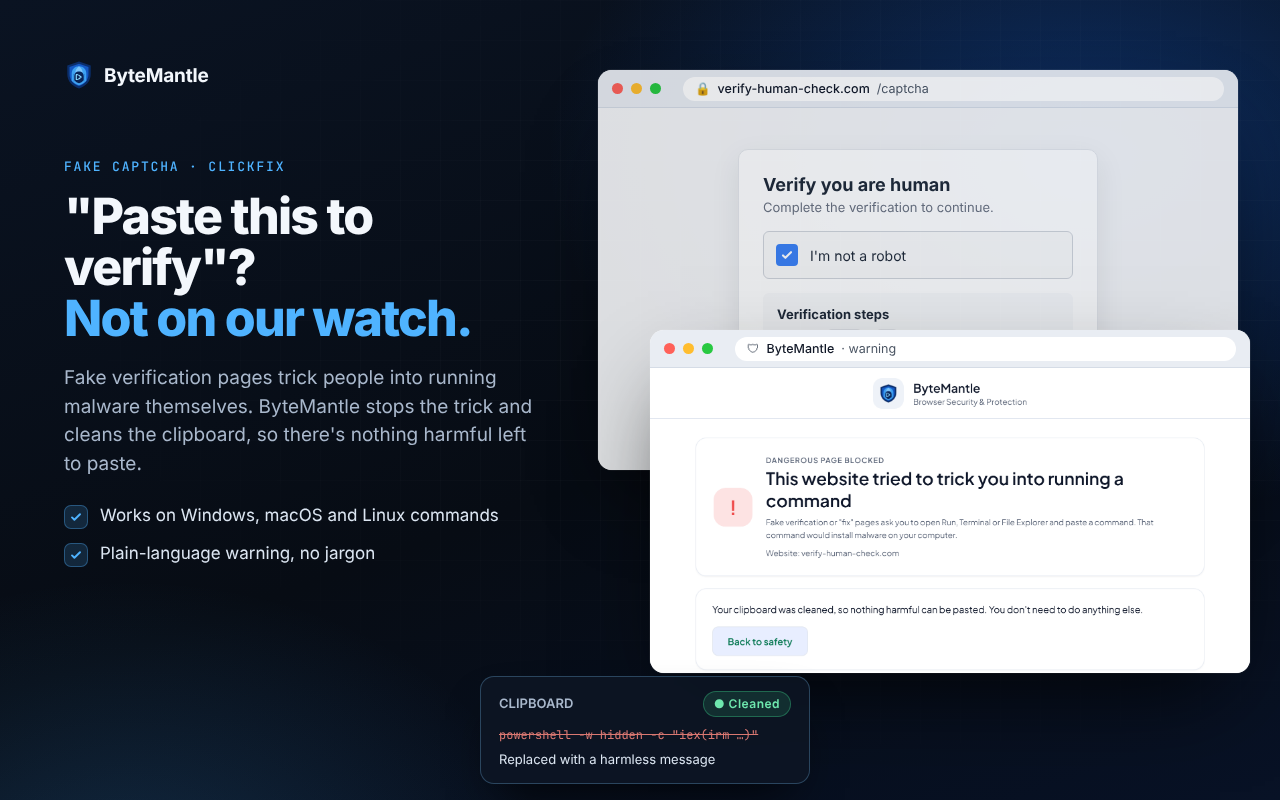
“Press Windows + R and paste to prove you are human.”
No real check ever asks this. When you clicked the box, the page secretly copied a command. Pasting it and pressing Enter would install a program that steals your passwords.
- ByteMantle recognises the fake check and the command, before you act
- The command on your clipboard is replaced with a harmless message, so even a paste does nothing
- A plain warning tells you what the site tried to do, with one button back to safety
- Works on Windows, macOS and Linux commands
The tricks change. The moment they need you is the same.
A shop or bank site you have never seen
A great deal, a “final reminder” to pay, a bank page with a name that is almost right. ByteMantle warns you when a site was registered only recently or imitates a name you know, so you can stop before you pay or sign in.
Free
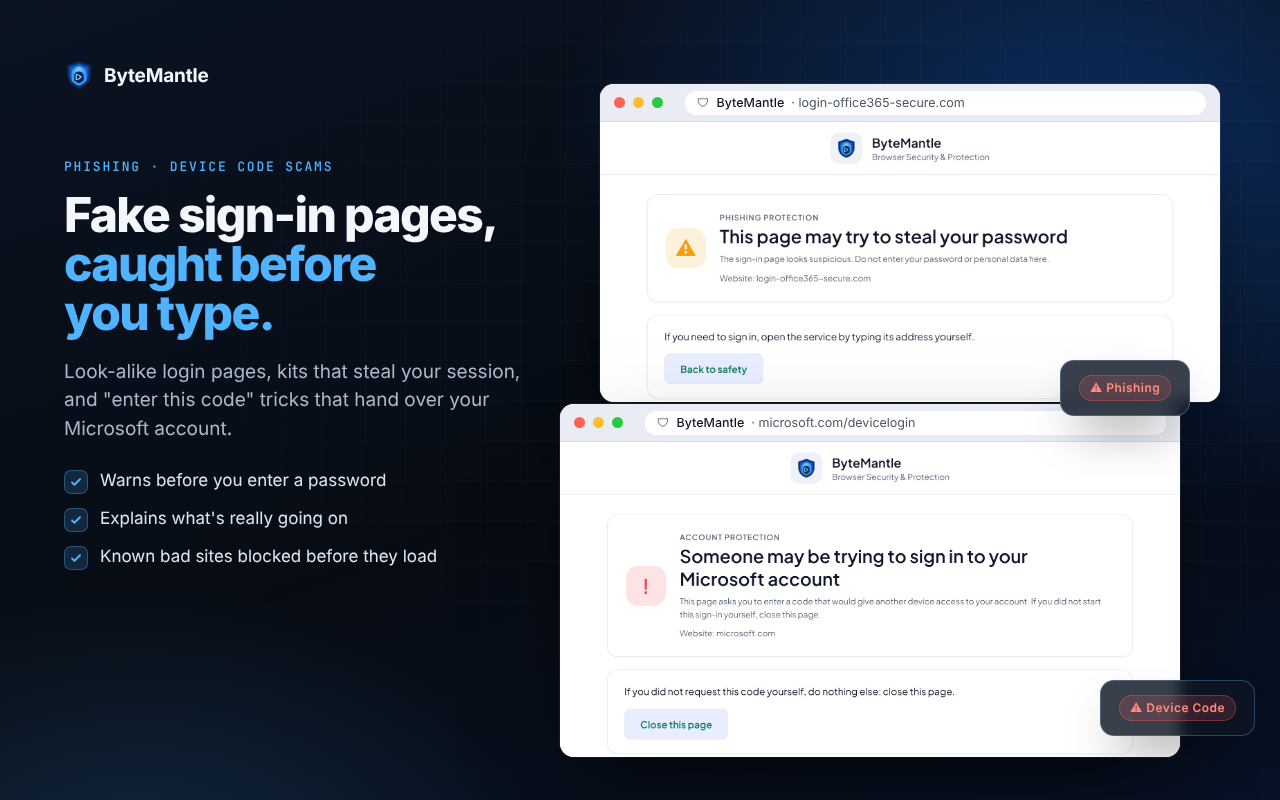
A sign-in page that is not what it seems
A copy of your Microsoft or Google sign-in, or a page that asks you to “enter this code” to give another device access to your account. You get a clear warning before you type a password or a code.
Free trial and Pro
A wallet request that could empty your wallet
A site asks your crypto wallet for an unlimited approval, a permit or a blind signature. ByteMantle reads what is really being asked and flags the dangerous requests — as critical when the site is brand-new or has shown attack signs. Your wallet still asks you to confirm.
Free trial and Pro
Free for good. Try everything for 14 days.
Free
No account, no time limit.
- ClickFix and FileFix: malicious copy-paste commands stopped at the paste
- Clipboard shield with local evidence
- Alerts for brand-new and look-alike websites
- Trusted sites and local history in your browser
Free 14-day trial
With a free account and a confirmed e-mail address. No payment details.
- Everything in Free
- Phishing pages, including those that steal your session after you sign in
- Device Code sign-in phishing (“enter this code”)
- QR-code phishing and tech-support scams
- Crypto-wallet protection
- Your own web console: incidents, threat events and your devices
When the trial ends, the browser goes back to Free by itself. To keep the extra protection, see Plans.
It protects you. It does not watch you.
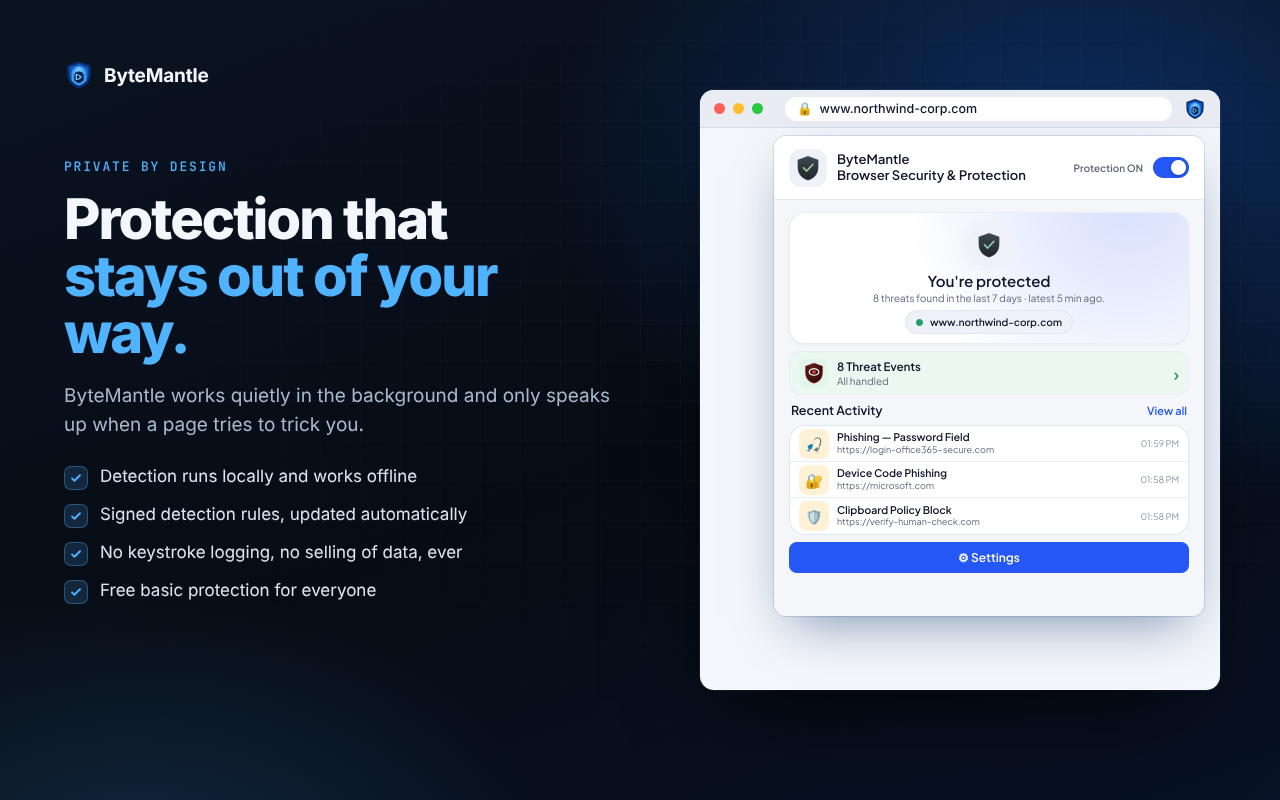
- Detection runs inside your browser and keeps working offline
- No keystroke logging: what you type, your passwords and form contents are never sent
- On the welcome page, you choose whether to share detected attacks anonymously, so new scams are blocked sooner for everyone — or keep everything on your device
- No selling of data, ever
What we collect — and what we don’t →
The full details are in our privacy policy.
Install it in a minute
- Open the extension page in the Chrome Web Store. It works in Chrome and Microsoft Edge.
- Select Add and confirm. Protection is on at once.
- Pin the extension so you can see its status.
- On the welcome page, keep everything on your device, or create a free account to start the 14-day trial.
Need more help? See the install guide.
Questions
Is it really free?
Yes. The Free protection needs no account and has no time limit. It stops malicious copy-paste commands and warns you about brand-new and look-alike websites.
Do I need an account?
No. You only need a free account for the 14-day trial of the extra protection and the web console. No payment details are asked for.
What happens when the trial ends?
The browser goes back to the Free protection by itself. Nothing is charged. Your console data is kept for 30 days, so you can pick up where you left off.
Does it replace my antivirus?
No, it works alongside it. Your antivirus looks at programs after they start; ByteMantle looks at the page and the clipboard before anything runs.
Does it read what I type?
No. There is no keystroke logging, and what you type, your passwords and form contents are never sent. Detection happens inside your browser.
Stop these attacks before anything runs.
Free browser protection for everyone, in Chrome and Edge. One console for your whole company when you need it.