Your people depend on sites you don’t control. Now you can see what they run.
Supplier portals, shops, SaaS tools, partner sites. If one of them runs outdated or exploited software, it can be used against your company. ByteMantle Enterprise shows you which ones, from what your own browsers already see — without scanning anyone.
Supplier risk you can see, without a scan.
With Technology & Exposure on, your browsers report the software and versions the sites your people open announce about themselves. The console matches them with public vulnerability data and tells you where to look first.
The software behind each site
Web servers, languages, content management systems and their plugins, JavaScript frameworks and libraries — with the version each site reports, per site and across all sites.
Known vulnerabilities
Each reported version is matched with known vulnerabilities from NVD and OSV, and with CISA’s list of vulnerabilities known to be exploited in the wild. The worst come first.
End of support
See which sites run a version that no longer gets security updates, and what the latest version is.
Check a new advisory in seconds
A new CVE is in the news. Type its identifier and see at once which sites your people use report an affected version, and who opened them in the last 30 days. No new scan.
Hygiene and changes per site
For each site: the protections it was seen to be missing (HTTPS, security headers, a weak Content Security Policy, cookies shared with every subdomain), weak sign-ins (a token in the address, no protection against forged sign-ins), code its service worker loads from other domains, scripts loaded from domains nobody owns, the certificate and TLS (if you turn it on), the scripts on each payment page with an alert when one is added (PCI DSS 4.0), the server and CDN in front, what changed over time, and which devices and users of your organisation opened it.
Honest results
Reported versions and possible vulnerabilities — never a false verdict. Distribution builds are marked, and a version that is too vague to compare says so instead of guessing.
Site technology telemetry is off until your organisation turns it on in its policy. Cookie values, page text and addresses beyond the site name are never sent. See Trust & Privacy.
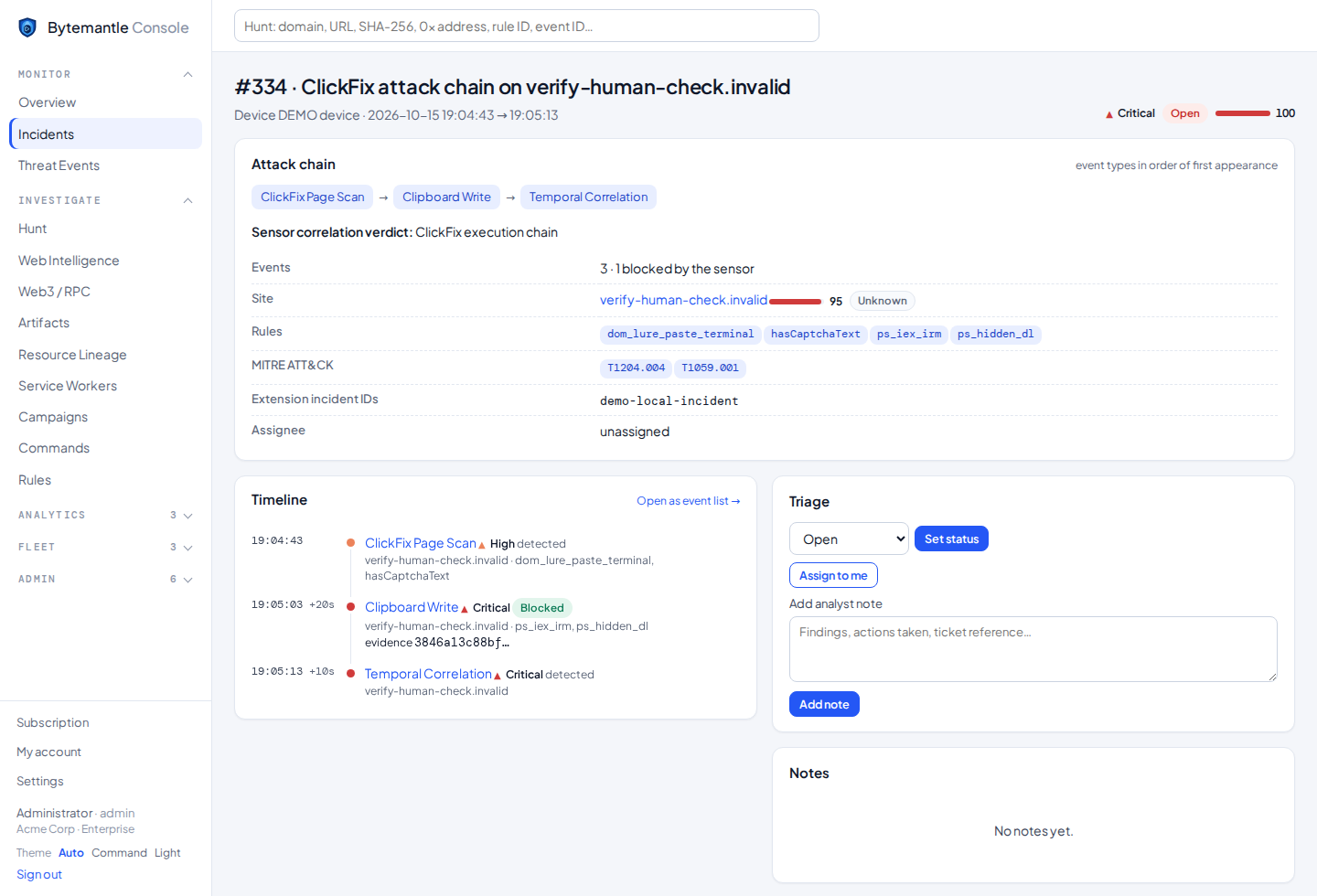
One incident per attack, with the whole chain.
Every incident tells the story in order: where the user came from, the redirects, the site and how old it is, which script loaded which, the lure, the command and how it ended.
- Correlated incidents with MITRE ATT&CK and a clear verdict
- Investigation graph around any site, device, incident, command or indicator
- Campaigns and the campaign map: one attacker behind ten sites becomes one finding
- Intelligence, Artifacts and Command Intelligence across your fleet
- Web3 and smart-contract intelligence, EtherHiding included
Control
- One signed policy per group: every protection Active, Monitor or Disabled
- Your own warning page with your logo, help-desk contact and “Report to IT”
- Your own blocked sites and indicators; block a site for everyone in one click
- Viewer, analyst and admin roles, two-step sign-in, a full audit log
- Sign-in limited to your networks or countries
Integration
- SIEM forwarding: Splunk HEC, CEF lines, JSON webhooks (Elastic, Microsoft Sentinel through Logic Apps)
- STIX 2.1 bundles with TLP marking for MISP and OpenCTI
- Read API with scoped, rate-limited keys for your own tools and AI agents
- Incident exports: PDF, JSON, AI-ready text, ZIP with checksums
- Dashboards and scheduled PDF reports by e-mail
Deployment and data
- Force-install with Group Policy, Intune or Google Admin — no new browser
- Devices enrol themselves from managed policy; users do nothing
- See which browsers are behind on Chrome and Edge security updates
- Check the SPF and DMARC of your own domains: can others send e-mail in your name?
- Protection continues locally if the console is unreachable
- EU-hosted, or the console on your own server
- 365 days of history
Questions security teams ask
Does Technology & Exposure scan other companies’ sites?
No. It uses only what your own browsers see when your people open those sites as part of their work. When you check an advisory the console does not already know, only its identifier is looked up online; the comparison with your organisation’s sites happens in the console.
Does “possible vulnerability” mean the site is vulnerable?
Not necessarily. A Linux distribution can back-port fixes without changing the version, and a CDN or a firewall can hide the real one. The results tell you what to ask or check, not a verdict.
Which vulnerability sources are used?
NVD, OSV, CISA’s Known Exploited Vulnerabilities catalogue and public end-of-support dates. The console shows when each source last ran.
Where is our data kept?
In the European Union when we host the console, or on your own server if you run it yourself. See Trust & Privacy and the Data Processing Agreement.
See the exposure of your own suppliers.
Tell us about your fleet and we set up Enterprise for your organisation.